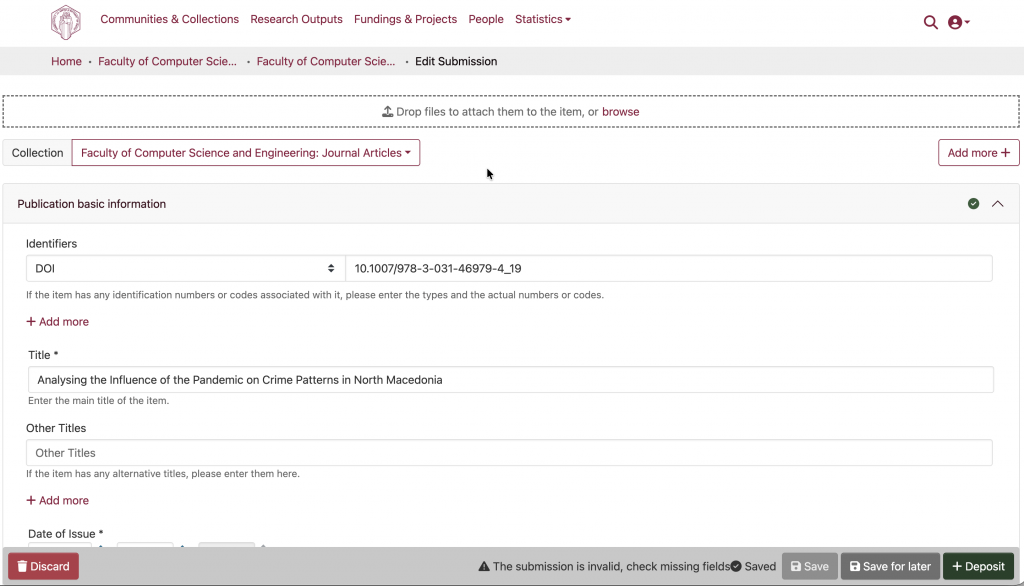
The UKIM repository can be filled using publications that can be found in your ORCID profile.
IMPORTANT! The automated connection to ORCID that enables direct import of publications from your profile to the UKIM repository is currently not active and requires an institutional subscription to ORCID. The process that is described here enables manual addition of publications that are present in an ORCID profile.
To add a publication from your ORCID profile to the UKIM repostirou follow the steps described below:
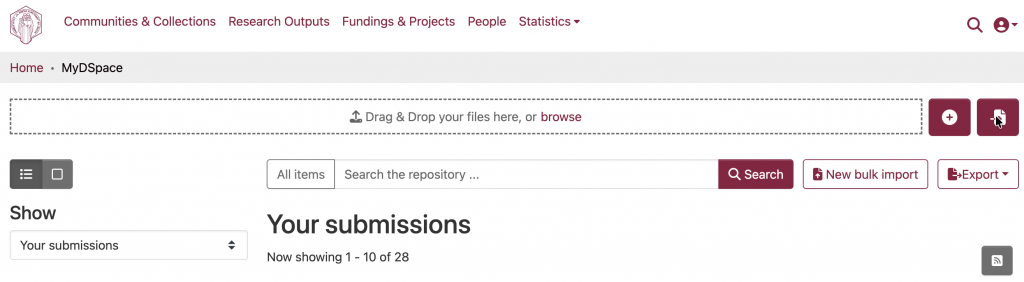
- On the repository landing page (after you log in), choose the option to import from external sources
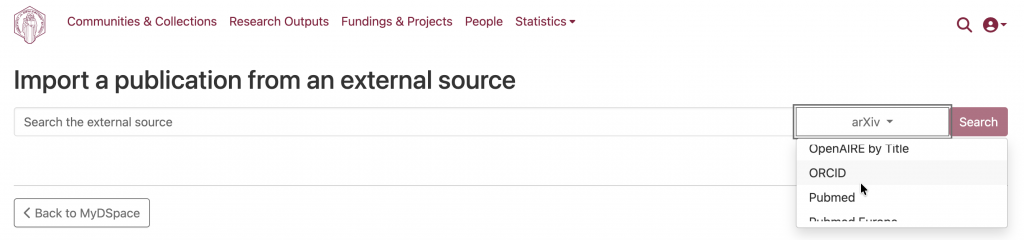
2. In the new window, choose ORCID from the dropdown list
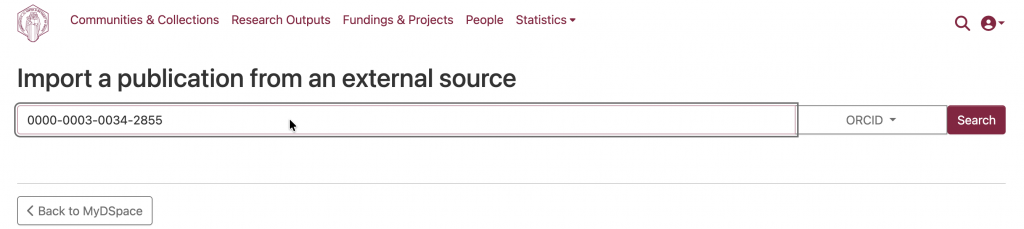
3. Enter your ORCID iD and click Search
4. Choose the publication you would like to import from the list.
Important! Take care that the publication is not already in the repository. Potential duplicates will be marked.
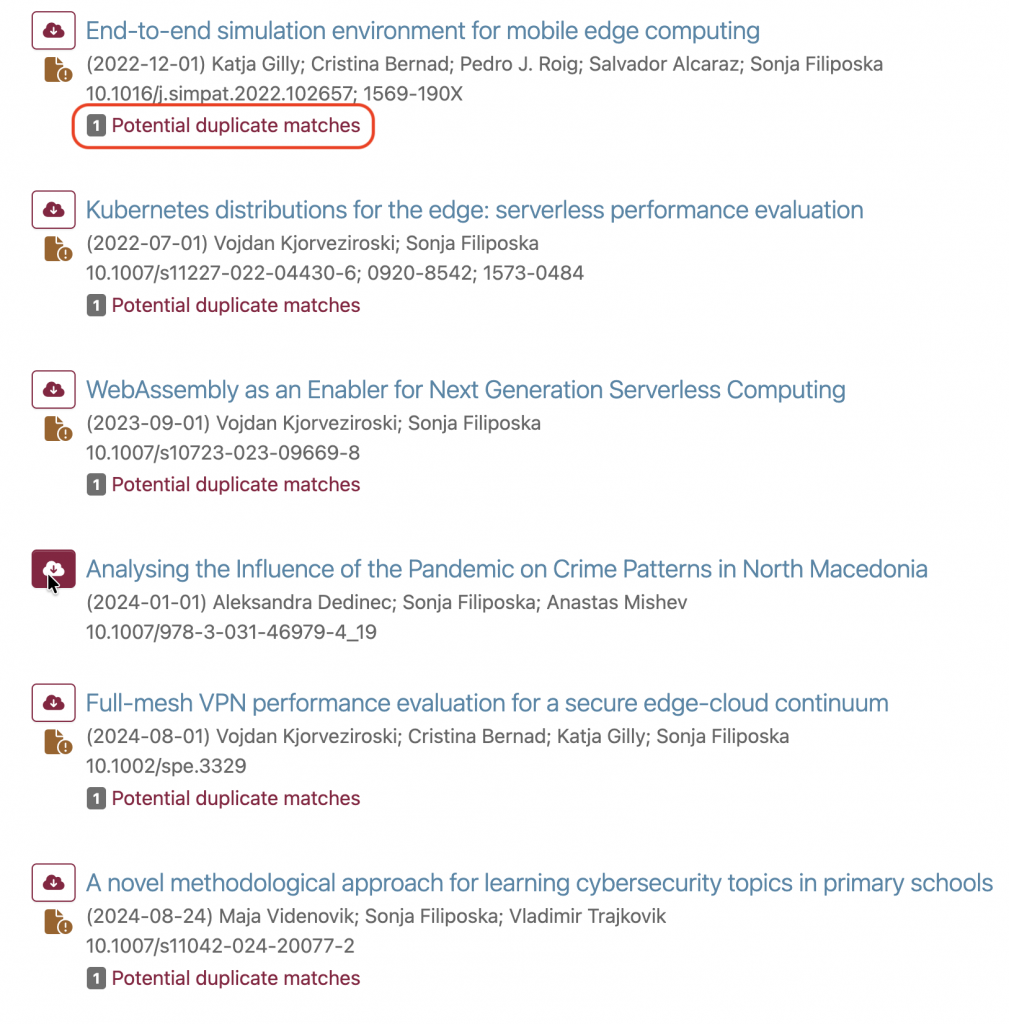
5. Start the submission process to import the chosen publication.
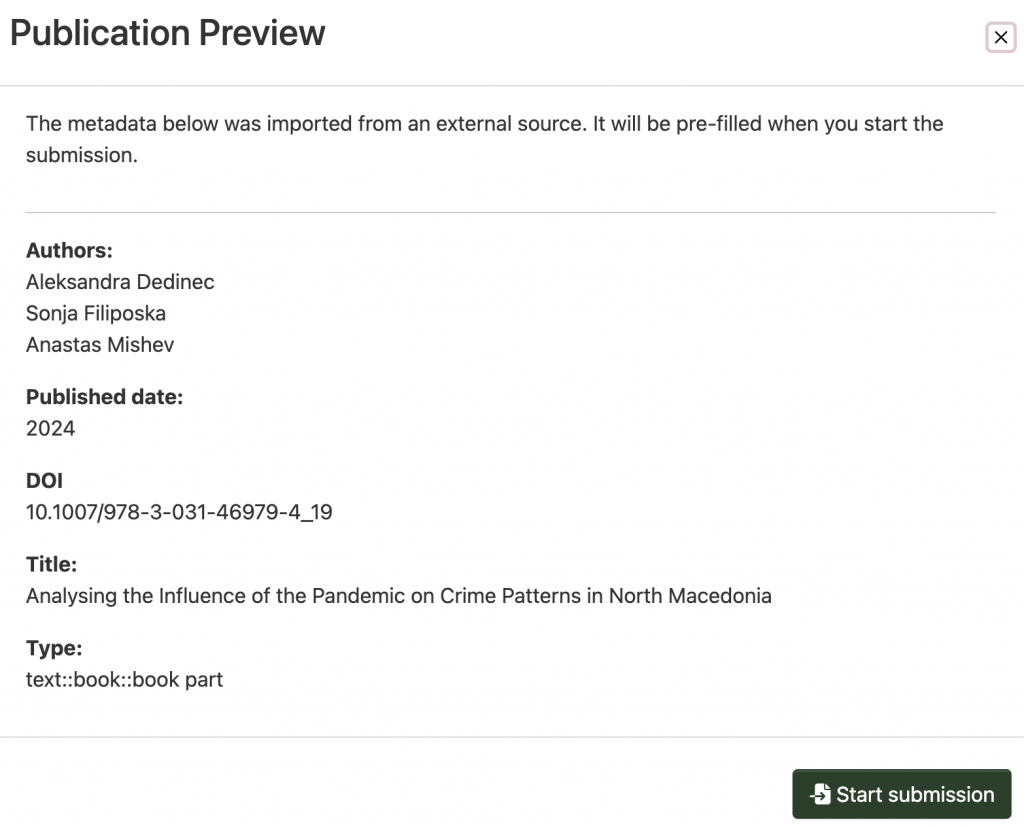
6. Check the already filled-in fields and provide the information for the empty ones, then deposit the publication.